
Multi-factor authentication is a small ongoing tax on your patience, and it’s also the single most effective thing you can do to protect your accounts. Both of those things are true at the same time. Most articles about MFA either pretend the annoyance doesn’t exist or try to convince you it’ll feel seamless once you’re used to it. It won’t. You’ll still grumble when your bank asks you to confirm a sign-in for the third time in one morning. The grumbling is the price, and it’s worth paying — not just for your work accounts, but for your personal email, your spouse’s accounts, your parents’ accounts, and your kids’ accounts too.
Why Your Password By Itself Isn’t a Security Control Anymore
The original idea behind passwords was that you’d memorize one good one and that would be enough. That assumption stopped being true around 2012, somewhere between the LinkedIn breach and the moment everyone started reusing the same password across forty different sites because they couldn’t remember forty different ones. Today, your “good” password is almost certainly on a list somewhere. Maybe it leaked when LinkedIn got hacked. Maybe it was harvested by malware on a computer you used in 2018. Maybe someone phished it from you with an email that looked exactly like a Microsoft 365 login page. The mechanism doesn’t really matter.
The point is that a password by itself is no longer a security control. It’s an identifier, like your name. MFA is what reintroduces the security part.
What MFA Actually Does
The idea is straightforward. After you type your password, the system asks for a second proof of identity — something an attacker on the other side of the internet can’t easily get. That second factor is usually a six-digit code generated on your phone, a notification you tap to approve, or in some cases a physical key you plug into a USB port. The attacker has your password. Fine. Without your phone or your physical key, they still can’t actually get in.
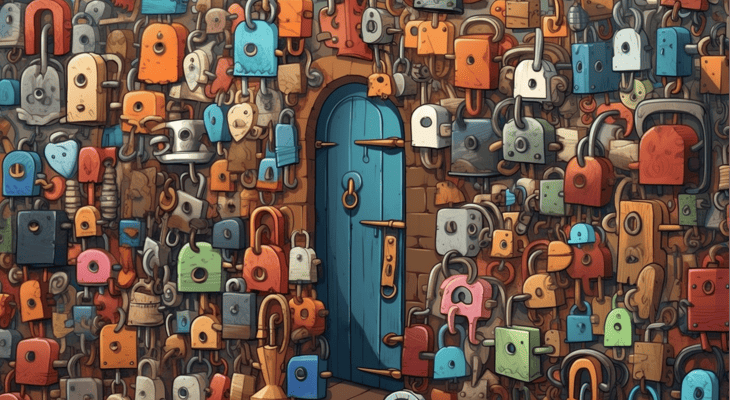
That’s the whole mechanism. Two locks instead of one, and the second lock requires something you physically have.
The Annoyance Is the Feature, Not the Bug
Here’s the part most people miss. The friction you experience — the extra step, the brief delay, the moment of mild irritation — is what stops the attack. If signing in were perfectly frictionless for you, it would be perfectly frictionless for someone with your password. The point is to add a step that requires physical possession of something, which an attacker in another country generally does not have. So yes, it’s annoying. That’s the mechanism working as designed.
The same thing is true of locking your front door. It’s an extra step. You wouldn’t stop doing it because the extra step is inconvenient.
Where to Turn It On First (Email Comes First, Always)
Start with email. Always email. Your email is the master key to nearly every other account you have, because every other account uses “send a reset link to your email” as the recovery option. If someone gets into your email, they can systematically take over your bank, your brokerage, your social media, your government services, and anything else attached to that address. Locking down email first is the highest-leverage thing you can do.
After email, anything that touches money — banking, investments, payment apps. After that, work accounts, though if your IT provider is doing their job this is already taken care of. If it isn’t, that’s a separate conversation worth having. Then everything else, gradually, in five-minute increments when you have a free moment.
Why This Matters for Your Spouse, Your Parents, and Your Kids
This is the part that gets understated in most security articles, and it’s the part most worth thinking about. The advice to turn on MFA isn’t just about your work accounts. Your personal Gmail matters as much as your business email, sometimes more — that’s where the bank statements live, where the password reset links go, where the photos of your kids are stored.
Your spouse’s accounts matter for the same reasons, and probably share some financial overlap with yours. If MFA is on your work email but not on your partner’s personal Gmail, and the two of you share a financial life, the attacker just goes through them instead. The weakest link is the link they go through.
Your parents’ accounts matter because parents are a favourite target for the “hi, it’s me, I’m in trouble, can you send money” scams, which work much better when the attacker has actually compromised a real account belonging to someone the parent trusts. Your kids’ accounts matter because gaming and social media accounts get hijacked, sold on resale markets, and sometimes used to harass other kids in their network.
Have the conversation, help them set it up, and accept that you’ll be the family IT desk for an evening. Twenty minutes per person. The alternative is being the family IT desk for a week while someone tries to recover their hijacked accounts and notify everyone in their contact list that the weird messages weren’t from them.
Not All Second Factors Are Equal
The kind of MFA you choose matters more than people assume.
Text message codes — the texts with a six-digit number — are better than nothing, but they’re the weakest option. They can be intercepted through a SIM swap, which is when an attacker convinces your phone carrier to transfer your number to a SIM card they control. This is rarer than other attacks, but it’s not theoretical, and the more visible you are — business owner, public profile, significant assets — the more attractive a target you become. Use SMS only when nothing else is available.
Authenticator apps — Microsoft Authenticator, Google Authenticator, Authy, Duo, and similar — are a meaningful step up. The codes are generated on your phone itself rather than sent over the network, which removes the SIM swap risk entirely. This is the right default for almost everyone, and it’s free.
Hardware security keys — small USB devices like a YubiKey — are the strongest option, and worth considering for your highest-value accounts (typically email and primary banking). They cost about fifty dollars, you keep them on your keyring, and they’re effectively phish-proof because the attacker can’t get the key out of your pocket from across the country.
Passkeys are the newer option you’ll see prompted on more sites lately. They replace the password entirely with a cryptographic credential stored on your device, and they’re excellent. Adopt them when you’re offered the choice.
What to Actually Do This Week
Open your email settings and turn on MFA, ideally with an authenticator app. Do the same for your bank. Send this article to your partner and ask them to do the same. If your parents are in the demographic that’s getting scam-called weekly, walk them through it on the phone. The whole exercise will take an evening.
The trade-off is a few extra seconds per login for the rest of your life, in exchange for a security control that defeats the overwhelming majority of attempts to get into your accounts. Most security advice you’ll read this year will be more complicated than that and less useful. This is the one that actually matters.
Turn it on, on everything, including the accounts of the people whose problems will eventually become your problems if they get compromised.